Guesty’s pricing tools help you maximize income and make your listing stand out in booking channels. This article explains how these tools, including third-party tools, work together to optimize your rates.
These tools can also be utilized to control when a listing can be booked.
How pricing works in Guesty
Accommodation fare is the foundation of the total price for a reservation. By default, it is calculated based on the listing's base price, multiplied by the number of reserved dates. When you adjust this price using a pricing tool, it’s referred to as the "nightly rate" or "price per night" hereafter.
Each night can have a different price due to the adjustments made by various tools, except for weekly or monthly discounts, which apply to the overall price.
Note:
Adjustments can't reduce the price per night below $10 (or equivalent in other currencies); otherwise, they won't be applied.
Layering adjustment tools
Tools interact based on their layer in the pricing hierarchy:
- Same level: Tools at the same level generally override each other.
- Different levels: Higher-level tools apply on top of adjustments made by lower-level tools.
The guest folio displays the updated accommodation fare after all adjustments. Non-accommodation fare components (like cleaning fees) appear as separate line items, with some exceptions.
Pricing layers overview
The following table illustrates the calculation order for the accommodation fare.
| First layer | |
| Second layer |
|
| Third layer | |
| Fourth layer |
Layer 1: Base price
The listing's base price is the price per night if you don't use other tools. You can view the base price in the Multi-Calendar. When you import a listing from Airbnb, the base price syncs to Guesty.
Layer 2: Calendar rates
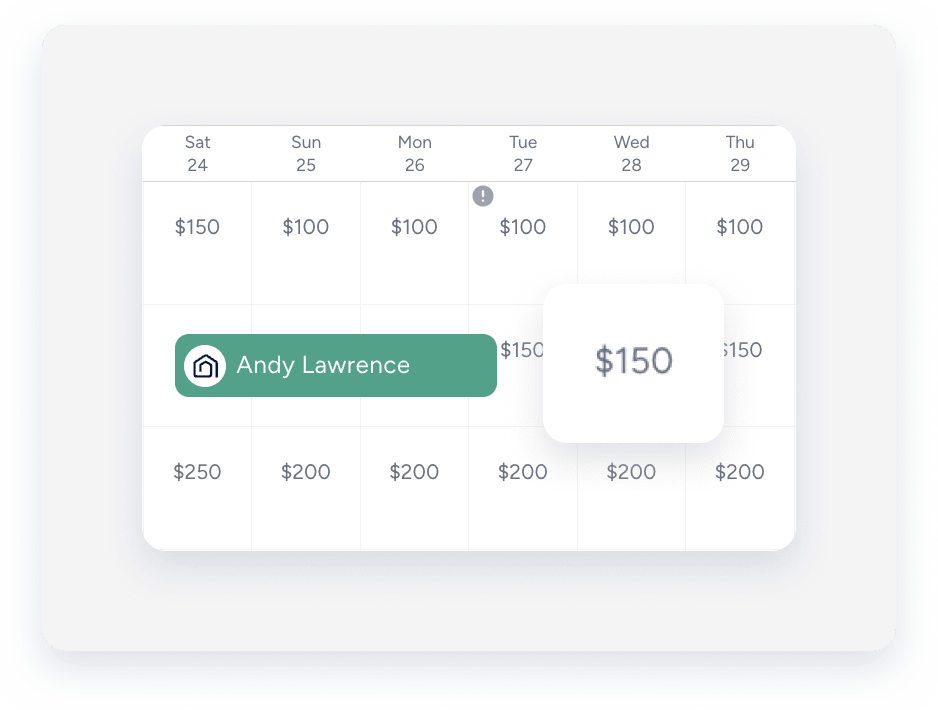
These tools adjust the price per night and minimum nights visible in the Multi-Calendar.
Important:
Since same-layer tools override each other, use only one pricing tool per listing at a time.
Manual adjustments via the calendar
You can manually adjust the price per night for specific dates without changing the base price. These changes reflect immediately.
Guesty treats imported pricing rules from Airbnb as manual adjustments.
Guesty PriceOptimizer
Guesty PriceOptimizer uses machine learning to recommend rates. Adjust the price per night directly via the PriceOptimizer settings. Deactivating it reverts rates to the Base price.
Third-party pricing tools
Changes from third-party tools appear in the calendar. If you disconnect a tool, prices remain as set (they don't revert to base price).
Layer 3: Markups and markdowns
Markups and markdowns adjust prices to compensate for a booking channel commission fee. Guesty automatically rounds up the price following any markup or markdown adjustment.
Layer 4: Weekly and monthly discounts
Weekly and monthly discounts sync with Airbnb, Vrbo, direct integration sources, and manual reservations.
Discounts are embedded in the accommodation fare and calculated based on the rounded price.
These discounts are the final adjustment layer applied to the accommodation fare, meaning the accommodation fare won't be rounded after a discount is applied.
