The guest folio breakdown provides an accurate summary of reservation services on a per-night basis. Use the guest folio to track financial details and ensure pricing aligns across different booking channels.
Access the guest folio
Step by step:
- Sign in to your Guesty account.
- Navigate to the relevant reservation.
- In the left submenu, click Guest folio and invoice.
View payout details
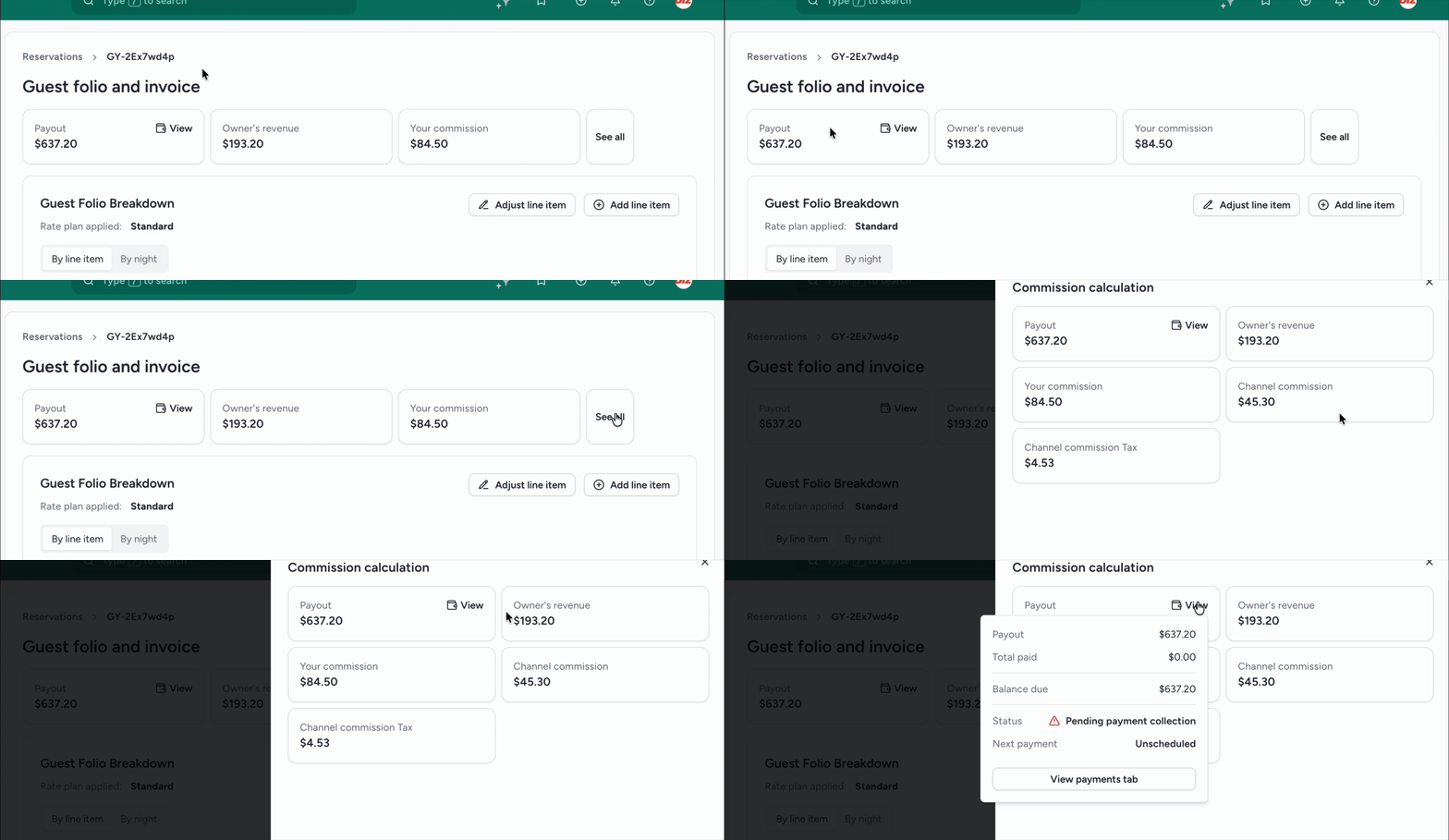
The top banner displays the payout, owner's revenue, and your commission amounts.
- Click See all to display the complete commission calculations.
- To the right of "Payout", click View to see payment status details.
View guest folio breakdown
Toggle between two views in the guest folio: a breakdown of the fare by line item, such as accommodation fare, taxes, and additional fees, or a breakdown of the fare by night.

How nightly rates are calculated
Once a reservation is booked, nightly rates cannot change. The only situation in which the existing nightly rates of the reservation may change is when the nightly rates are updated from a booking channel for future dates.
Nightly rates for accommodation fare
- Nightly rates calculated by the booking channel
Booking.com sends us the nightly rates with the ratios they defined, and we display them in the guest folio.
- Nightly rates calculated by Guesty
When nightly rates are not received by the booking channel, we check what pricing was set on the listing's calendar for the dates that were booked. We then apply the same ratio to the nightly rates of the reservation.
The reservation has three nights, and the calendar rates for each night is:
- Night 1: $100
- Night 2: $150
- Night 3: $250
The ratio for each night is calendar rate / total accommodation fare:
- Night 1: 0.2
- Night 2: 0.3
- Night 3: 0.5
The price for each night is the nightly ratio multiplied by the accommodation fare, which is $650 in our example:
- Night 1 = 0.2 x 650 = $130
- Night 2 = 0.3 x 650 = $195
- Night 3 = 0.5 x 650 = $325
Nightly rates for non-accommodation fares
We divide the non-accommodation fare total by the number of nights in the reservation and show nightly rates for these items on a "per night" or "per night per stay" basis. Otherwise, they are displayed as one sum.
[BETA] Breakdown of items within the accommodation fare
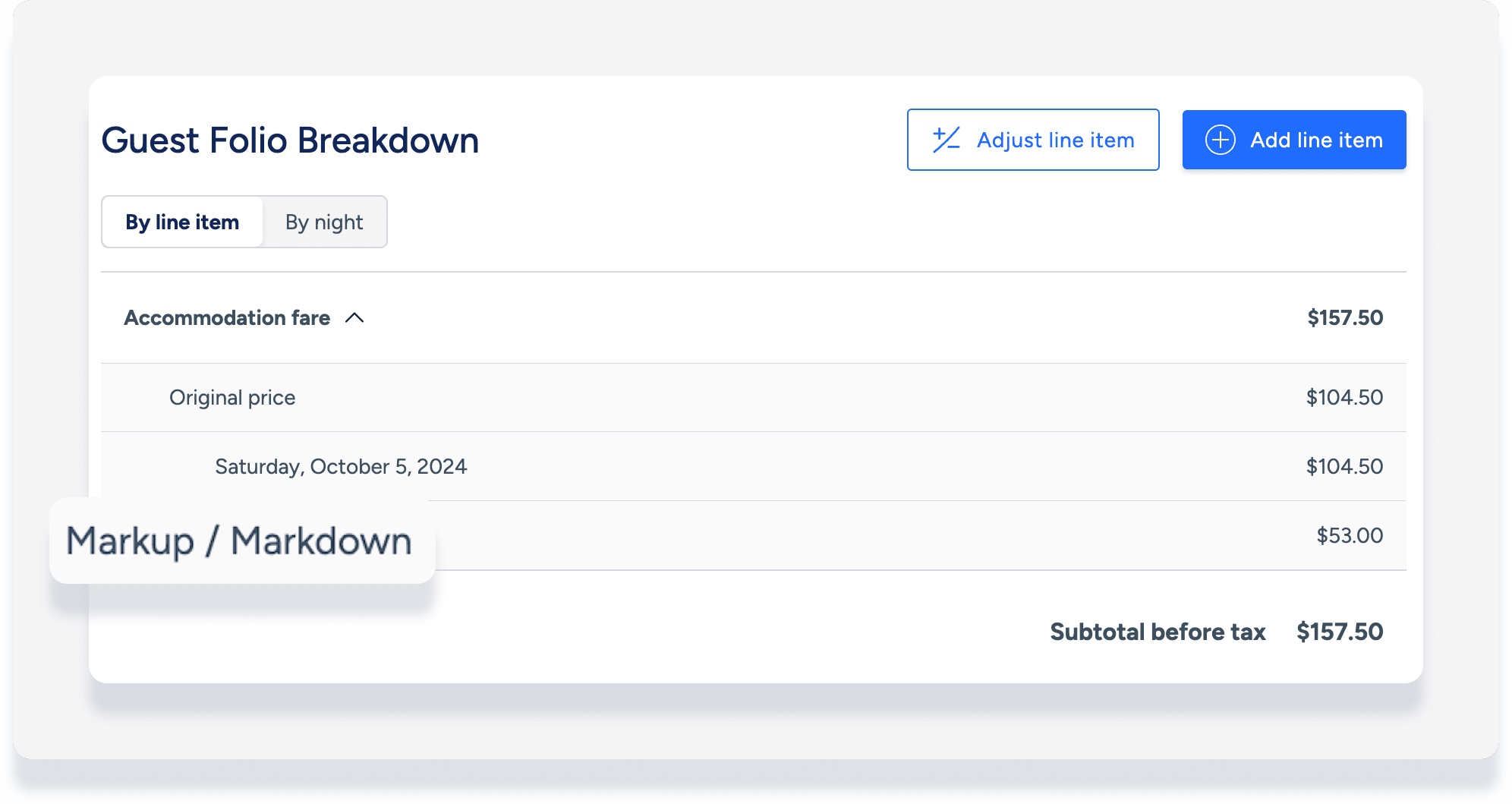
Markup/markdowns, extra person fees, and weekly/monthly discounts are presented in the guest folio as a separate line item broken out of the accommodation fare. (This feature is currently in Beta).
For reservations created via booking channel:
The extra person fee or weekly/monthly discount breakdown will appear only if it is communicated by the booking channel to Guesty.
All connected channels with a markup or markdown applied will display the breakdown. However please note that the markup/markdown breakdown is calculated based on the accommodation fare in Guesty. This may be different from how the markup is calculated in the channel based on other pricing factors.
Tip:
This breakdown of fees/discounts is only visible in the internal guest folio for your information, it is not shown in the invoice sent to guests.
Added or adjusted line items
You can add or adjust line items in the guest folio as needed. The guest folio also displays an adjusted line item for:
- Reservation changes made via booking channel
- Guest resolutions sent from the Airbnb resolution center (ARC)
