A cancellation policy defines the penalty fee a guest pays for cancelling a reservation. Setting up this policy helps you manage booking risk.
Each policy includes two parameters:
- How far in advance guests can cancel their reservation before check-in
- The fee charged for cancellations or no-shows
The following policies and fees apply to reservations made manually or through the Guesty Booking Website.
See below for channel-specific policies.
The guest receives a refund based on the cancellation fee setup for all policy types.
Policy |
Cancellation deadline |
|---|---|
| Free | 2:00 PM on arrival day |
| Flexible | 1 day before arrival |
| Semi-flexible | 2 days before arrival |
| Semi-moderate | 5 days before arrival |
| Moderate | 7 days before arrival |
| Firm | 14 days before arrival |
| Semi-strict | 30 days before arrival |
| Strict | 60 days before arrival |
| Super-strict | 90 days before arrival |
| Non-refundable | No refund |
In addition to selecting a policy, specify the cancellation fee applied when a guest cancels after the permitted deadline.
Cancellation fee |
Fee amount |
|---|---|
| Total Price | The entire booking amount |
| 50% of the total price | Half of the booking amount |
| The first night | The cost of the first night only |
Channel-specific information
Review the information below to determine where and how to set your cancellation policy for each booking channel, as some channels, such as Airbnb and Vrbo, use their own policy types.
Importing an Airbnb listing to Guesty: Set a cancellation policy when creating a listing in Airbnb. The cancellation policy will be pushed to Guesty when importing the listing.
Note:
- Long-term cancellation policies aren't supported in Guesty: If you configure a long-term cancellation policy in Airbnb, it will be overridden by your settings in Guesty.
- Rate plans aren't supported in Airbnb.
Airbnb policy changes (effective October 1, 2025)
Airbnb implemented global updates to cancellation policies. Cancellation policies on reservations booked before October 01, 2025 remain unchanged. For all other reservations, the affected hosts were notified and provided with the next steps through the Airbnb app.
Key changes include:
- "Strict" policy retirement: The "Strict" policy will be replaced with "Firm" for existing listings, unless hosts opt out via the Airbnb app. This change is permanent and can't be reversed.
- New "Limited" policy: Full refund if canceled at least 14 days before check-in.
- Updated grace period: 24 hours for trips shorter than 28 days and booked more than 7 days in advance.
- Italy-specific option: Hosts in Italy can offer discounted base prices when selecting a non-refundable cancellation policy.
The following table compares the names of cancellation policies in Guesty and Airbnb.
| Cancellation policy | Description |
|---|---|
| Flexible |
Full refund 1 day before check-in. If cancelled after check-in, the host receives 100% for each night the guest stays, plus one additional night. |
| Moderate |
Full refund 5 days before check-in.
If cancelled after that, the host receives 100% for each night the guest stays, plus one additional night, and 50% for all unspent nights. |
| Firm |
Full refund for cancellations up to 30 days before check-in.
If booked fewer than 30 days before check-in, the guests can cancel within 48 hours of booking and at least 14 days before check-in for a full refund. |
|
Strict
Important:Deprecated as of October 1, 2025. Only applicable to listings that opted-out before October 1, 2025. |
Guests can cancel within 48 hours of booking and at least 14 days before check-in for a full refund. If cancelled more than 14 days before check-in but not within 48 hours of booking, the host receives 50% for all nights. If cancelled between seven and 14 days before check-in, the host receives 50% for all nights. After that, you will receive 100% for all nights. |
| Super strict 30 |
Guests can cancel at least 30 days before check-in for a 50% refund. After that, the host receives 100% for all nights. Italy
Available by invitation only to certain hosts. Guests can cancel at least 30 days before check-in for a full refund. If cancelled within 30 days before check-in and by 12 PM local time, the host receives 100% of the accommodation cost, excluding fees. |
| Super strict 60 |
Guests can cancel at least 60 days before check-in for a 50% refund. After that, the host receives 100% for all nights. Italy
Available by invitation only to certain hosts. Guests can cancel at least 60 days before check-in for a full refund. If cancelled within 60 days before check-in and by 12 PM local time, the host receives 100% of the accommodation cost, excluding fees. |
| Non-refundable | Reservations are non-refundable. |
|
Limited Available globally from October 1, 2025 |
Guests who cancel 7-14 days before check-in get 50% back. After that, their trip is non-refundable. |
Non-refundable discount
You can add a non-refundable discount in addition to the cancellation policy, except for the following cases:
- Super strict (30 or 60 )policies
- Listings located in Italy
- Luxe listings
The discount is offered in addition to the listing's cancellation policy for reservations made no more than 60 days before the check-in date, and up until the cancellation policy comes into effect (for example, 14 days or less before check-in for a Strict policy).
Non-refundable discounts are offered on top of any additional price reductions applied to the reservation, including weekly or monthly discounts.
Pairing with other cancellation policies
Guests can book your non-refundable rate until your listing’s standard cancellation policy kicks in:
| Cancellation Policy | Non-Refundable Booking Window |
|---|---|
| Flexible | Up to 1 day before the desired check-in date |
| Moderate | Up to 5 days before the desired check-in date |
| Limited | Up to 14 days before the desired check-in date |
| Firm | Up to 14 days before the desired check-in date |
You must set one rate plan per listing in Booking.com first. Then, set a cancellation policy for the listing using the instructions below. The cancellation policy in Guesty will replace the rate plan you set in Booking.com while linking the listing to Booking.com.
Direct channels/integrations refer to the following reservation sources:
- Manual reservations
- Guesty Booking Website
You can set a cancellation policy per listing for direct integrations. A listing must have a cancellation policy to make the listing sellable and bookable in a booking channel. If you don’t set a cancellation policy, a fully refundable policy will automatically be applied, affecting all direct booking reservations.
This policy does not include a penalty fee or a minimum notice period before check-in. If you’d like a different cancellation policy to apply, make sure to inform your guest about the terms of cancellation. If the guest cancels the reservation, you’ll need to manually add your cancellation fee to the guest folio (invoice).
When connecting a Vrbo account to Guesty, set a default cancellation policy for the account. When publishing a new listing to Vrbo, choose whether to apply the account’s default cancellation policy or use a different policy for the listing.
When selecting a cancellation policy for a listing, you can choose from our built-in policies or create your own.
| Cancellation policy | Description |
|---|---|
| Relaxed | 7-14 days before check-in |
| Moderate | 14-30 days before check-in |
| Firm | 30-60 days before check-in |
| Strict | 60 days before check-in |
| Custom | Select the number of days and the respective redounf amount in precentage |

If you have the limited sync connection type, you must set your listing’s cancellation policy directly in Vrbo.
Set or edit a cancellation policy in Guesty
Set a cancellation policy in Guesty for manual reservations and the Guesty Booking Website ("Online booking solutions"). For all channel integrations, you configure a listing's policy when you connect the listing to the channel. The channel is added to the cancellation policy section in Guesty following the initial connection.
Follow the instructions below to create or change a cancellation policy.
Step by step:
- Sign in to your Guesty account.
- In the side navigation menu, click
 Properties overview.
 - Click the relevant listing.
- In the submenu, click Pricing & policies.
- Select Reservation policies from the dropdown menu.
- Scroll down to the "Cancellation policy" section and click Edit.
-
Select the desired cancellation policy for the relevant source and the cancellation fee.
Cancellation policy options-
Airbnb: Choose whether to apply a non-refundable discount to the cancellation policy. Non-refundable discounts can't be added to Super strict policies.
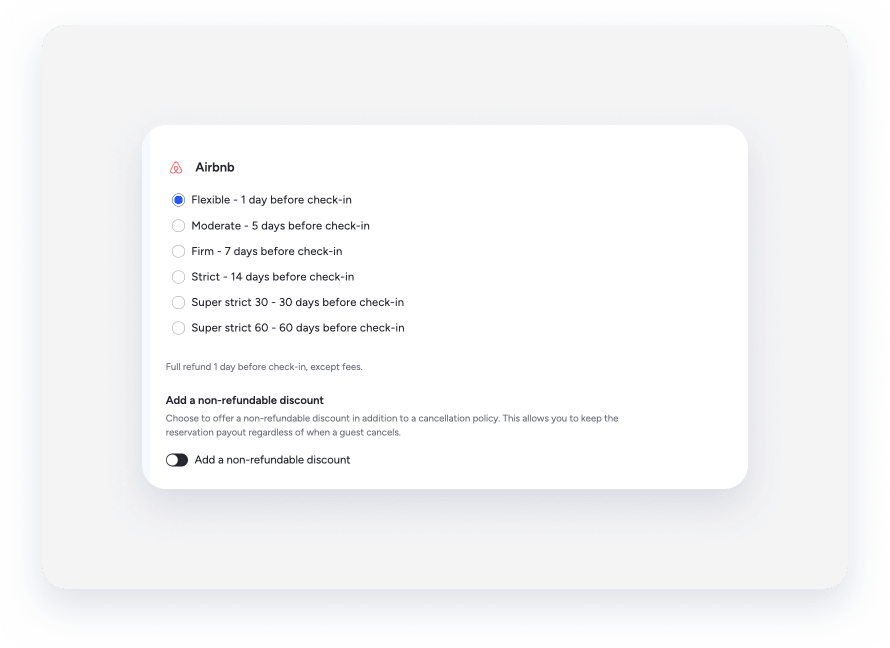
- Manual reservations
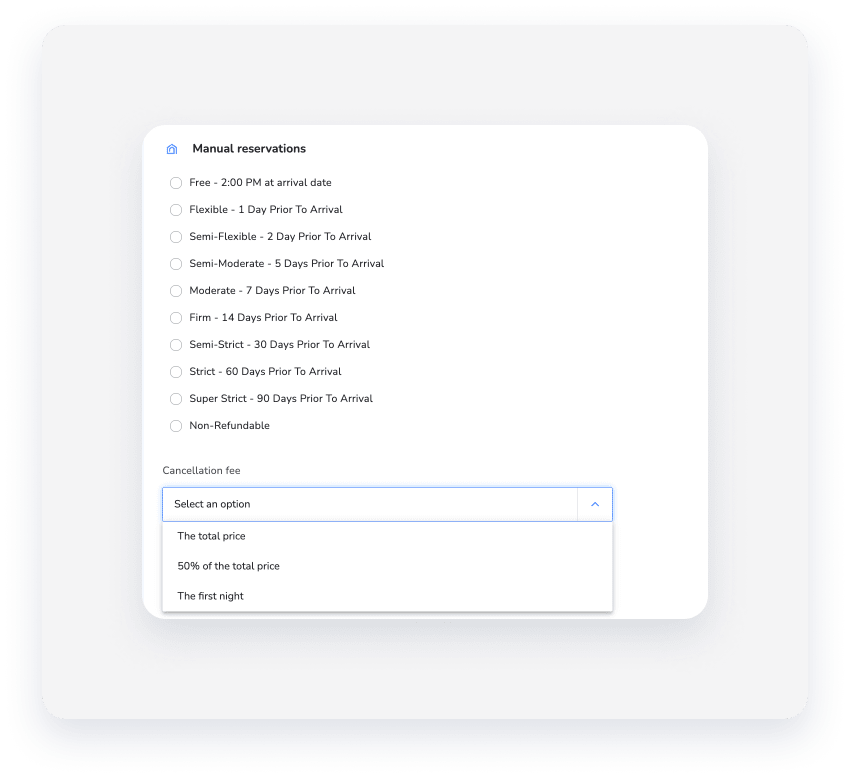
- Online booking solutions: Refers to the Booking Website.
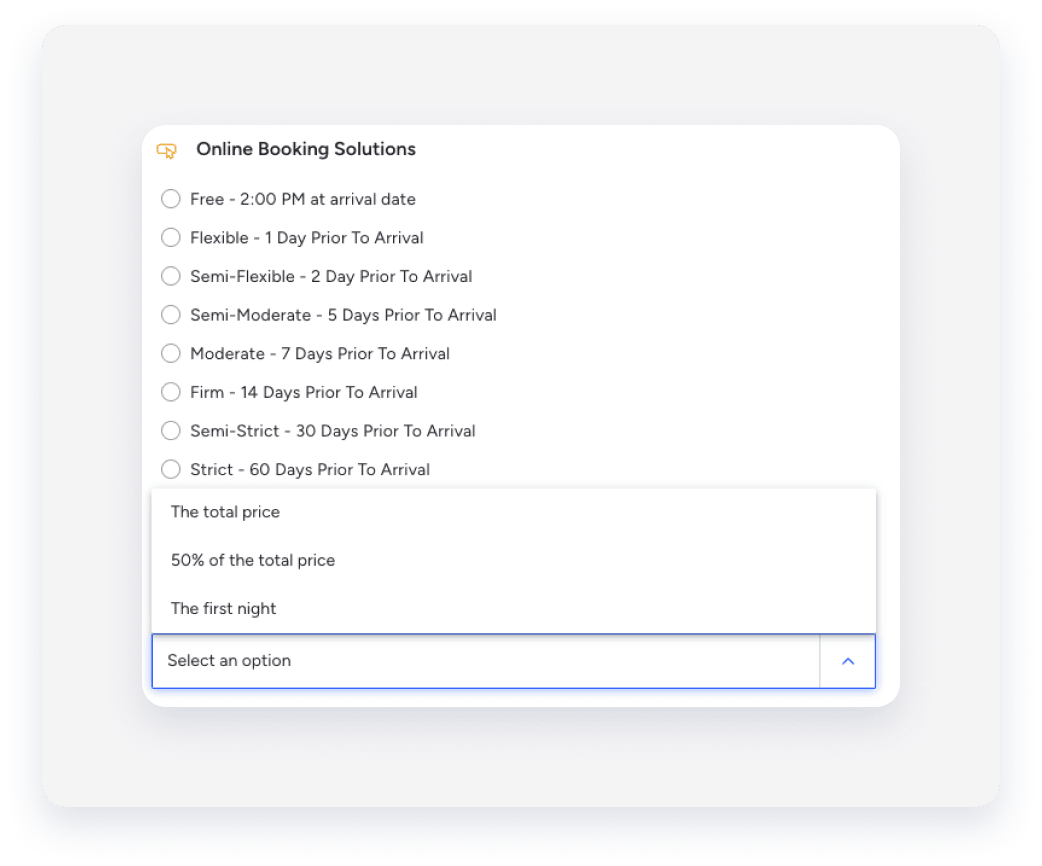
- Vrbo: To create a custom cancellation policy, select Custom from the list, and create up to 3 combinations of [days before check-in] and [refund amount]. Guests qualify for a refund if they cancel on or before the specified number of days before check-in.

-
- Click Save.
Changes to your cancellation policy will only apply to new bookings. Reservations made before your changes will be subject to your previous cancellation policy.