With Guesty's message automations, you can simplify and automate guest communication by sending automated messages to reservations with a "Confirmed" status.
Note:
Automated messages can't be assigned to reservations marked as "Reserved".
See our additional troubleshooting guides for issues with payment-related automated messages or unmet message conditions.
Determine why the message wasn't sent
Follow the troubleshooting guide below to resolve issues with a scheduled message that was not sent for a "Confirmed "reservation.
-
Confirm you assigned the correct listing to your template
- Confirm the message automation wasn't deleted or deactivated.
-
Ensure the correct listings and channels were added―or excluded―to your “Properties” and “Channels” reservation conditions.
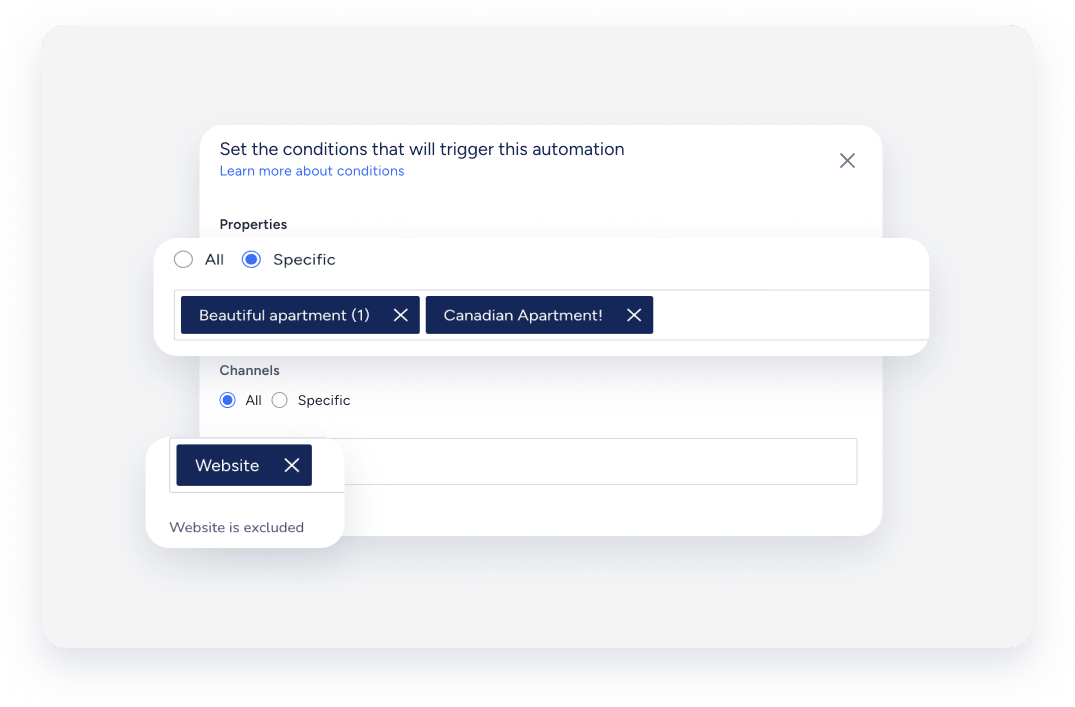
-
Review recent edits to the message automation template
Any change to a template—such as adjusting the assigned properties, channels, or other conditions—can cause scheduled messages in "Pending" status to be skipped. This applies to minor edits as well, like unassigning a single property. When you save a template, Guesty recalculates the messages against the updated conditions and removes any pending messages whose scheduled send time has already passed.
For example, a reservation has an automated message stuck in "Pending" status, with a scheduled send time from a week ago. If you edit and save the message automation template, Guesty recalculates the schedule and removes the pending message because its send time has already passed. -
Check scheduling and activation timing
Activating a message automation schedules messages for all matching reservations. This includes reservations created before the automation was active. Guesty doesn't schedule messages for times that have already passed. For example, if an automation triggers "at booking confirmation" and you activate it for a reservation confirmed yesterday, that specific message is skipped.
If you set up automations for reservation alterations, messages only trigger for these changes:
- Reservations status
- Number of nights
- Number of guests
- Assigned listing
- Check-in or check-out time
-
Check which conditions were set
You can choose whether an automated message is sent based on the message conditions you set.
-
Check the reservation settings
Check if multiple automated messages or if a single message is disabled for the reservation.
-
Check if the reservation was imported
An automated message that is triggered by a confirmation of a reservation will not be sent if the reservation was imported to Guesty.
-
Check the guest's contact details
Check when the guest's phone number and email address were added to the reservation. The correct guest phone number and email should be updated in the guest profile before the scheduled sending time of the automated message. If there is no email address, or if the primary email address is not set, the automated messages won't be sent. If the guest details are incorrect, the automated message can't be received.
-
Check your Airbnb listing settings
Automated messages will only work when both an Airbnb listing and a host account are active and connected to Guesty. Airbnb messages must be sent via channel, not email.
