Guesty's Vrbo integration runs two connections together: the main limited sync integration and a two-way iCal connection layered on top as a safeguard against sync delays the main connection can have.
This can cause a "Vrbo iCal block" block to appear on the Multi-Calendar.
Determine why the block appears
Use this troubleshooting guide to determine why a date shows as a "Vrbo iCal block" on your Multi-Calendar.
-
Check for a block set directly on Vrbo's own calendar
A date blocked on Vrbo's own calendar — for example, a manual block set directly on Vrbo — surfaces on the Guesty Multi-Calendar as a "Vrbo iCal block". This is expected behavior reflecting a real block on Vrbo's side.
-
Check the listing's Vrbo iCal import settings
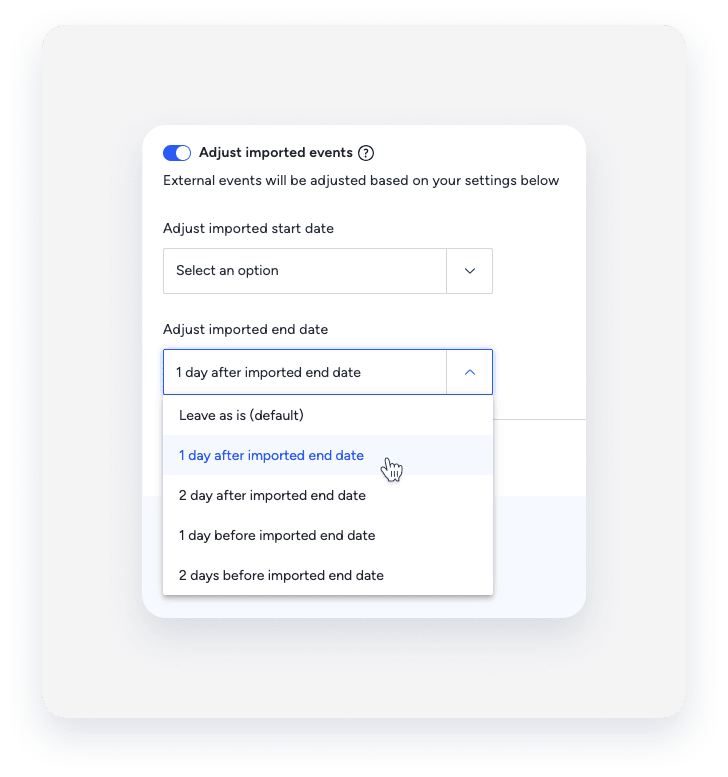
If the block recurs with no underlying event on Vrbo, the cause is a misconfigured Vrbo iCal import setting on the listing. Follow the import iCal instructions and verify the following:
- The Adjust imported events toggle is on
- "Adjust imported end date" is not set to 1 day before imported end date