When creating a property in Guesty, you need to set its full address. You can later adjust the address and add more information. A partial property address, such as when there is no street name or zip code, can cause issues when connecting to channels such as Airbnb or Vrbo.
To overcome this, use the property’s coordinates as the address. Convert the coordinates to a coded form and use them as the street name.
Set a listing's full address
Follow the instructions below to set your listing's address.
Step by step:
-
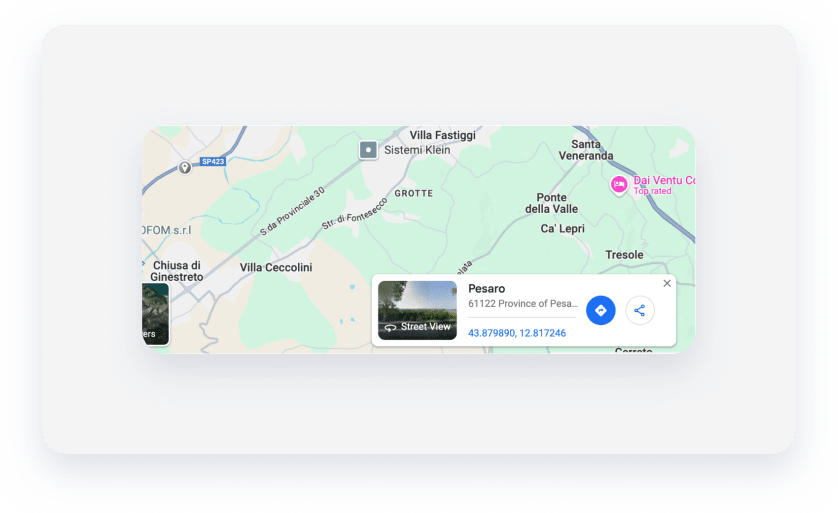
Retrieve the property’s location coordinates from Google Maps by finding the right spot on the map and left-clicking on it. At the bottom of the page, a pop-up appears with the coordinates of the spot as a hyperlink. Click the link.
-
In the left sidebar, hover over the plus code, then click
 to the right.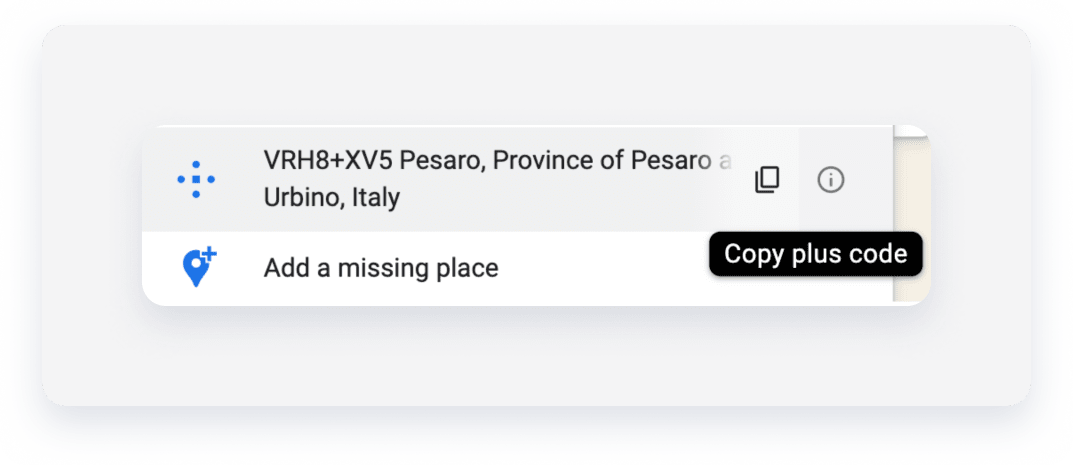
- Sign in to your Guesty account.
- In the side navigation menu, click
 Properties overview.
 - Select the relevant listing.
- In the submenu, under Details & layout, click Location & details.
- Next to "Full address", click Edit.
- Select Full address.
-
Paste the coordinates you copied, and select the suggested result from the search results.
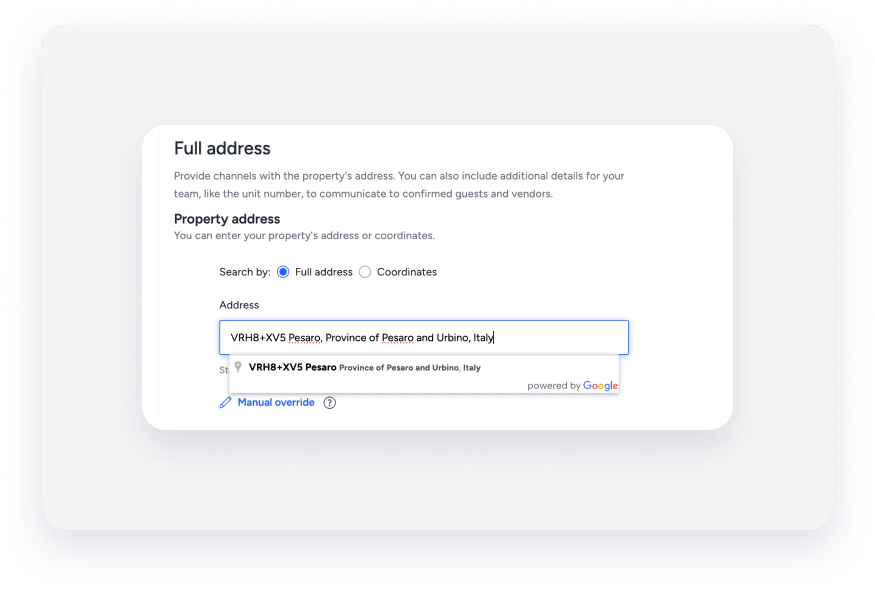
The address fields will be populated accordingly.
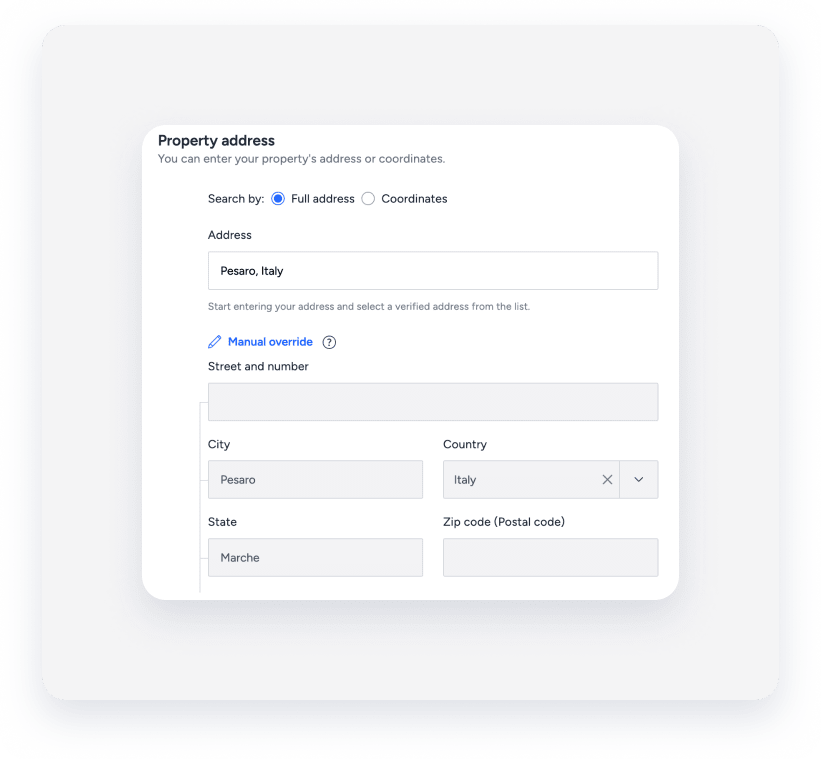
- Click Manual override.
-
Under “Street and number”, paste the coordinates you copied again.
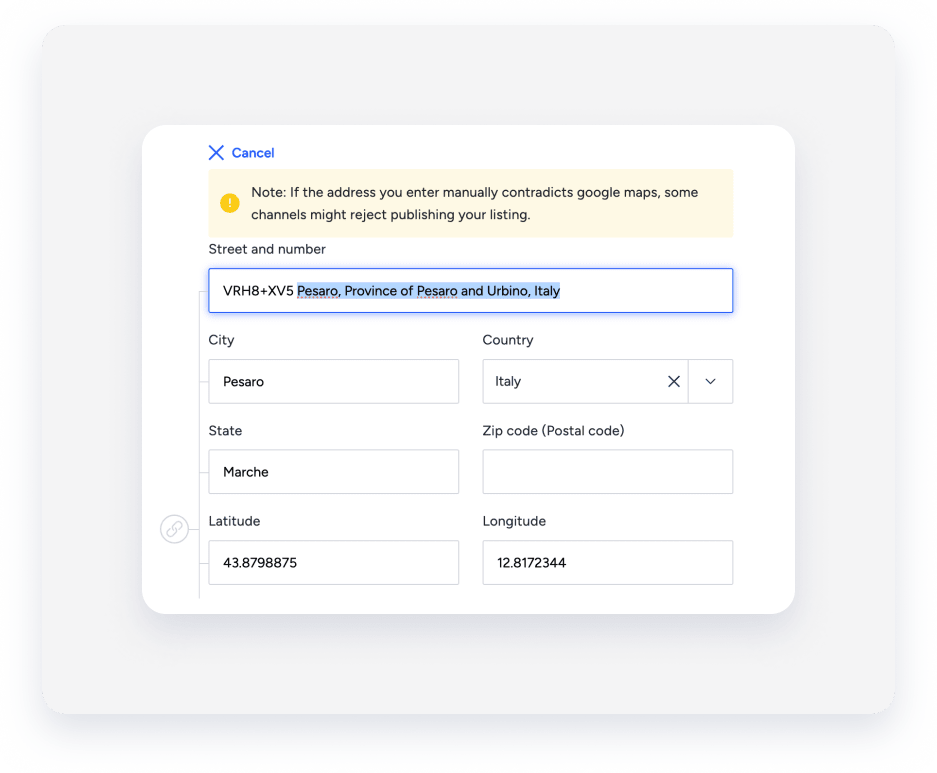
The “Street and name” field will be populated with the abbreviated coordinates (for example, VRH8+XV5) and with other parts of the address, such as the city, state, and country. Relocate the latter to the designated fields of “City”, “Country”, and “State”, keeping only the abbreviated coordinates under “Street and number”. If the “Zip code (Postal code)” field is empty, use “0000”.
- Click Save
- Retry to connect the listing to the relevant channel.
Note:
If a listing is shown in the wrong place on the interactive map in Guesty or the channel, or if the location fields don’t display the correct address, use a manual override to fix the location.
The override will affect the listing's address across Guesty, including when using the location filters in the Multi-Calendar.
