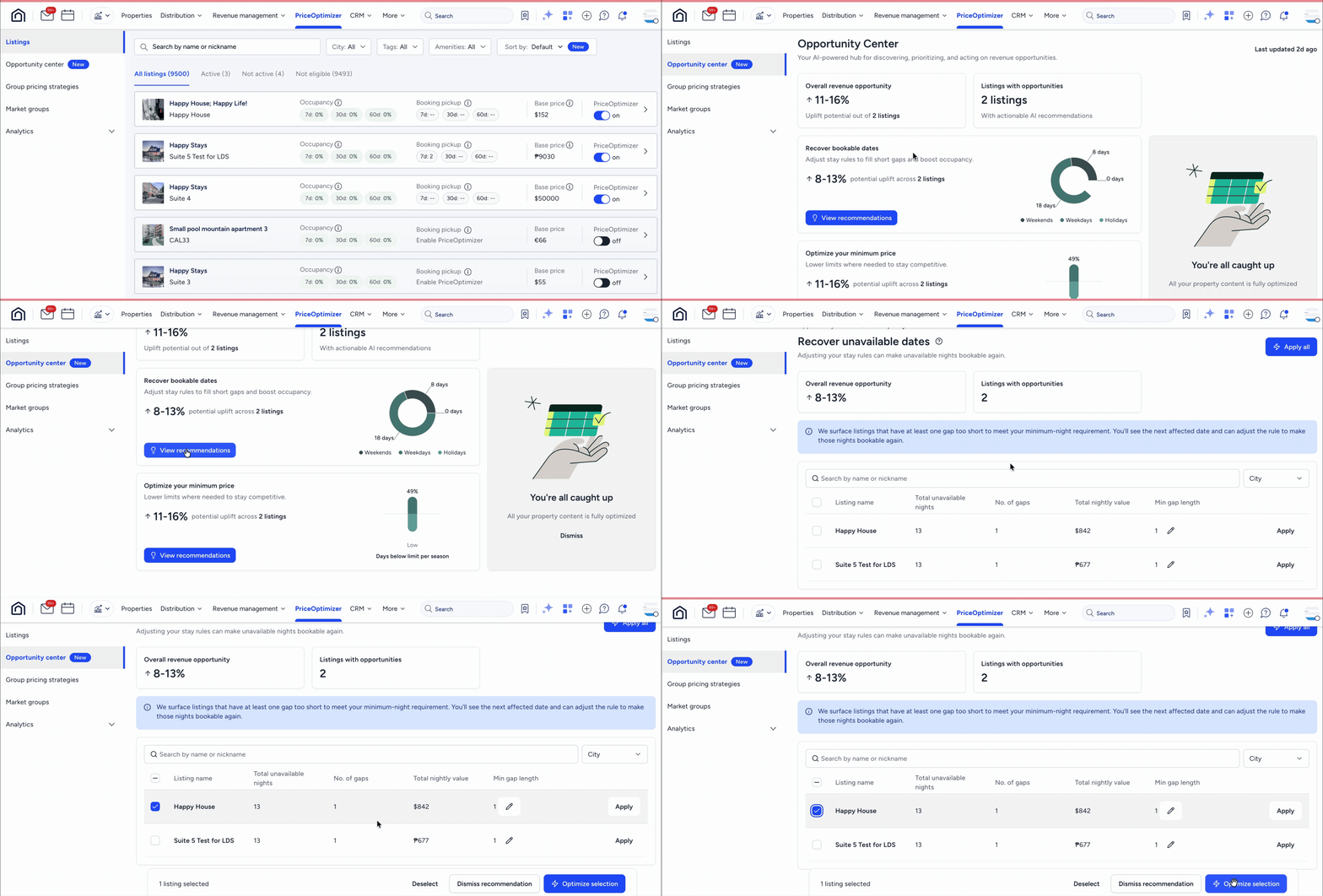
The opportunity center is a dedicated optimization hub within Guesty PriceOptimizer. It uses internal data to proactively identify specific areas where you can improve a listing's performance and increase revenue. Use the opportunity center to review AI-generated suggestions for pricing, booking gaps, and listing content.
Understand how the opportunity center works
The system scans your listings weekly to provide fresh insights. You can see the date of the last update at the top of the page. Recommendations are only generated for listings currently opted into Guesty PriceOptimizer.
The dashboard features two primary summary boxes to help you track your potential impact:
Overall Revenue Opportunity: A calculated value based on revenue management suggestions that present a specific uplift amount.
Listings with Opportunities: The total number of unique listings that have at least one unresolved recommendation.
Review optimization recommendations
The opportunity center categorizes suggestions into different use cases to help you focus on specific goals.
Minimum price thresholds
This identifies seasonal periods where your minimum price is set too high, which might prevent bookings. When you apply these changes, they are implemented as time-based rules under the Price Limits section of a listing's settings.
Important:
AI-generated time-based rules are prioritized over manual rules to ensure the optimization takes effect.
Gap night monetization
This detects unbookable gaps of one night or more caused by rigid minimum night requirements. This recommendation triggers if the "Optimize gaps with min nights" setting is not currently active for a listing.
Important:
There is currently no "undo" or revert option for this action. Ensure the recommendation doesn't override owner contracts or local regulations before applying it.
Listing content optimization
Listing title optimization
This identifies listings that benefit from a title update to improve search visibility. In the detailed view, access an "extended view" that explains the reasoning behind the recommendation and what can be improved. Applying this change replaces the existing title in the property settings.
Cover photo optimization
The system analyzes your photo gallery to determine if a different image would be more effective as the primary cover photo. Use the Compare interaction to see a side-by-side, enlarged comparison of the "Current" cover photo and the "Recommended" cover photo.
Manage and apply changes
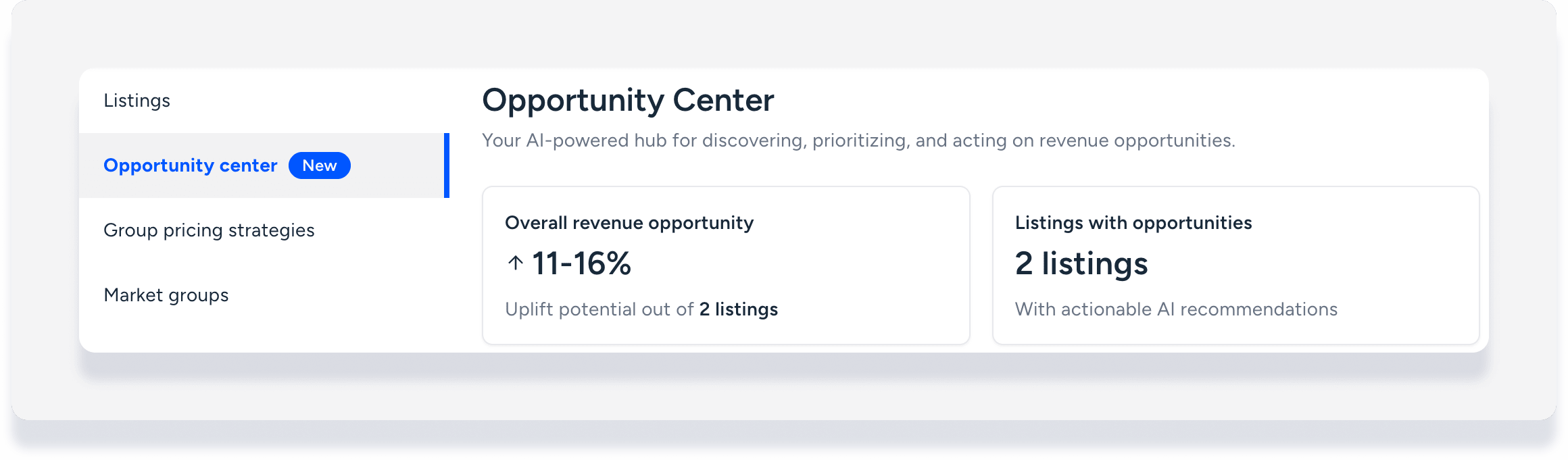
Review and action recommendations from the main dashboard. You can't apply changes directly from the main card view; you must open the detailed view first.
Step by step:
- Sign in to your Guesty account.
- In the top navigation bar, click
 and select Marketplace.
 - Click Guesty PriceOptimizer.
In the left-side menu, click Opportunity center.
Click View recommendations or the information icon to open the details on each opportunity card.
Under "Optimize your minimum price", click the show insights icon to open a side panel with more details per listing.

Take one of the following actions for each opportunity:
Apply All: Execute all suggested changes at once.
Apply to Selected: Use the checkboxes to apply changes only to specific listings.
Edit: Modify suggested values, such as a specific price, before applying.
Dismiss: Remove the recommendation for specific listings. Dismissed items remain hidden until the next weekly refresh.
Click Apply.