Include cleaning and additional fees in your markup calculation. This aligns with Airbnb’s single fee structure and can also be used for Booking.com and Vrbo. Guesty provides a clear breakdown of markups applied to fees, allowing you to monitor your margins and maintain accurate accounting.
Note:
This feature is available for newly created reservations made via Airbnb, Booking.com, and Vrbo.
Configure markup
Step by step:
- Access your listing's markup settings.
- To the right, click Edit.
- Under Airbnb, Booking.com, or Vrbo select cleaning fee and/or additional fees to include with accommodation fare in the markup calculation.
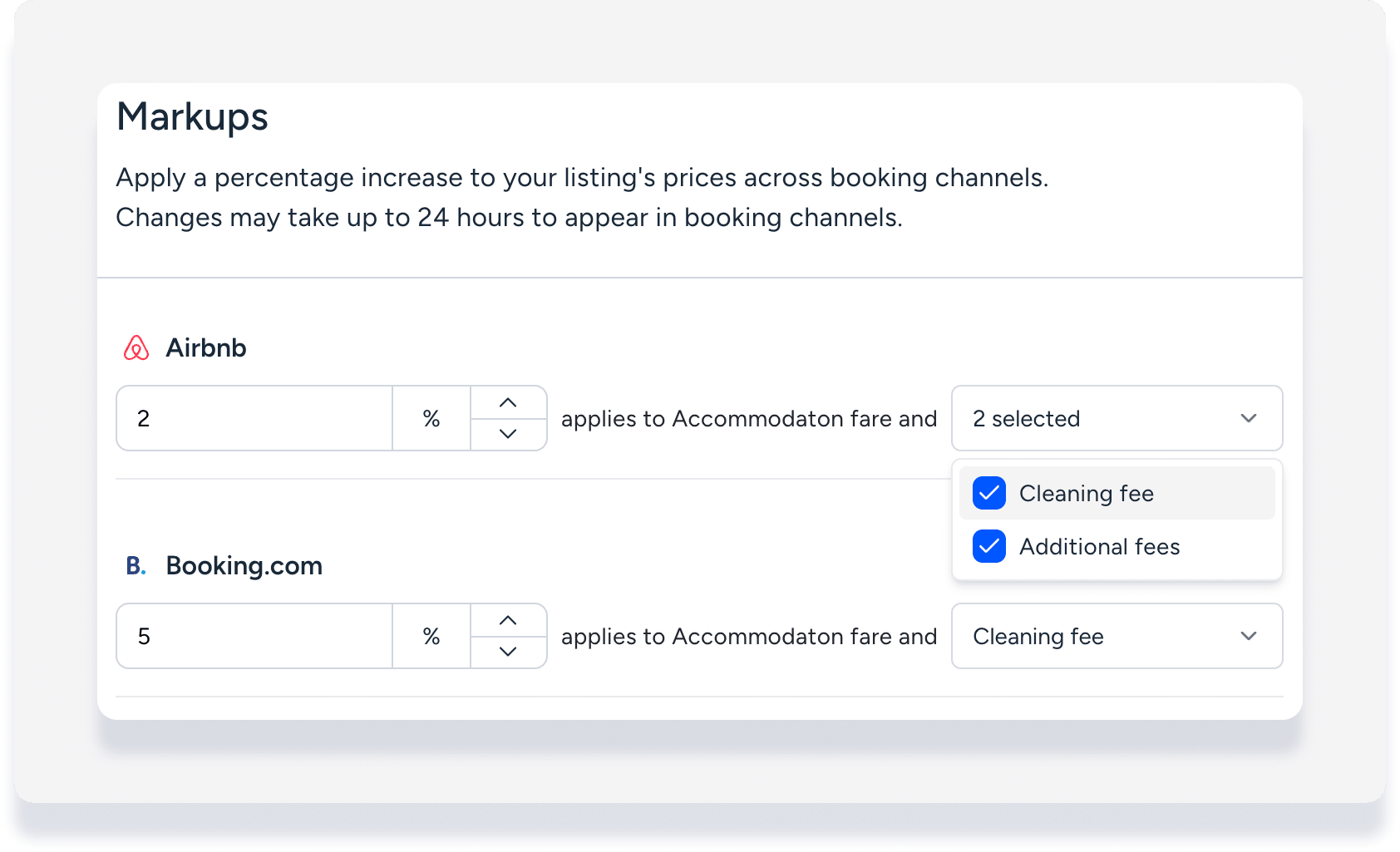
- Click Save.
View markup data in a reservation
Follow the steps below to review the specific markups directly within the reservation details.
Step by step:
Access a reservation's guest folio.
Each item included in the calculation (accommodation fare, cleaning fee, additional fees) has the markup applied in the amount displayed.
Click each item to open a side panel and view the amount breakdown details including markup.