Guesty PriceOptimizer is a data-driven, machine-learning tool that gives you recommendations for your listings' nightly rates based on different time period intervals. Our interactive software takes several details into account based on market trends to offer the best-suggested prices.
Note:
Occupancy data is updated 4 times a day. New reservations will not have an immediate impact, but will be reflected in the data during the next scheduled update.
View upcoming occupancy
Step by step:
- Sign in to your Guesty account.
- In the side navigation menu, click
 PriceOptimizer.
 - Find the relevant listing.
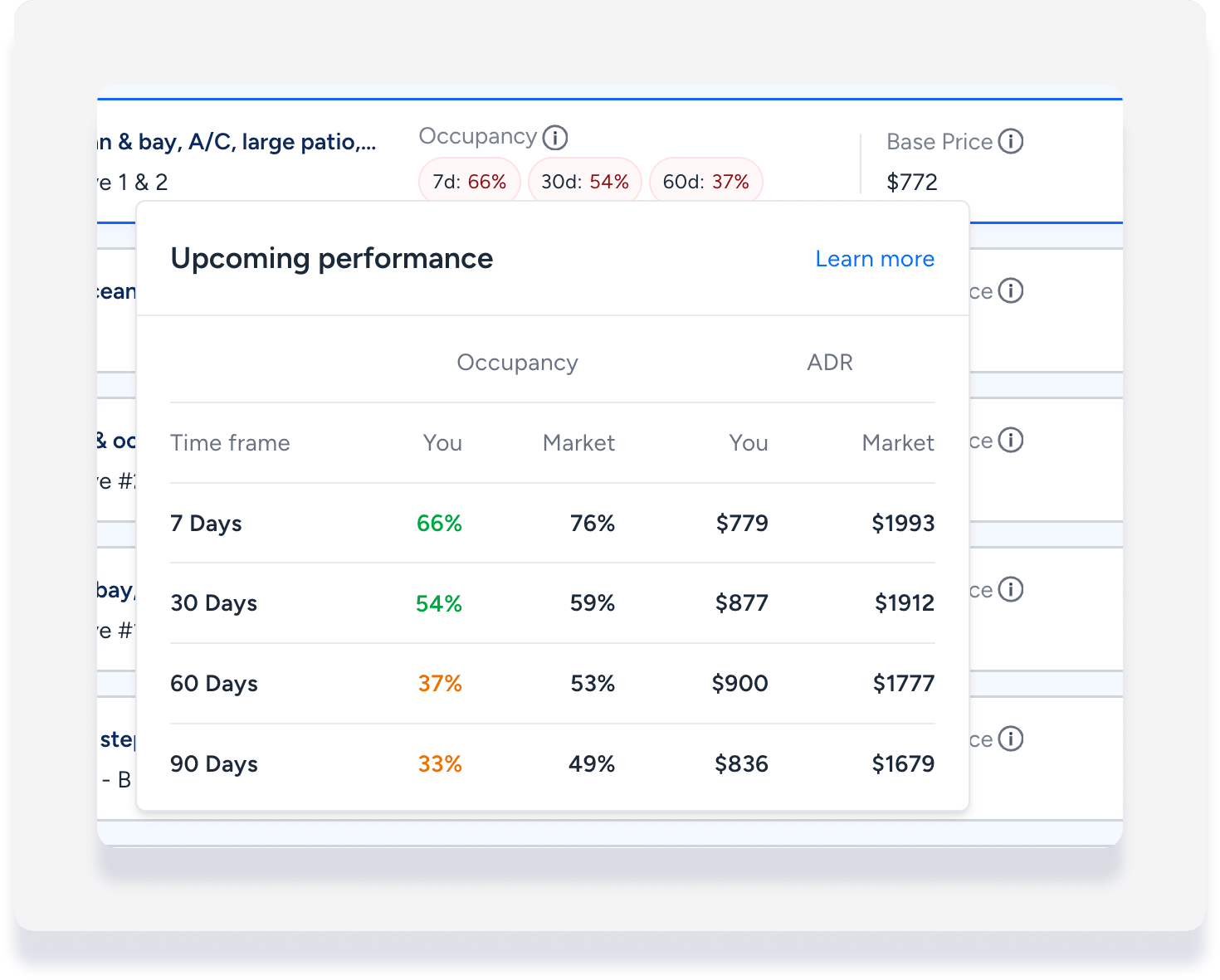
- Hover over the "Occupancy" area of the listing to display the ideal occupancy data as shown above.
Performance data explained
Occupancy is the percentage of nights a property is booked by guests out of the total number of available nights during these periods. Blocked dates are not taken into account in the occupancy calculation.
Data is displayed for the next 7, 30, 60, and 90 days for current occupancy, ideal occupancy, and the market average.
The current occupancy data is colored-coded based on the following:
- Green: Difference between listing occupancy and market occupancy is up to or equal to 15%.
- Orange: Difference is between 15.1-25%
- Red: Difference is equal to or higher than 25.1%
Average Daily Rate (ADR) provides another data point comparison of your listing with the market. ADR represents the average rate with which the listing was booked at the time period.
For example: If in the last week, the listing was booked for 5 nights, the 7 day ADR would be the average price with which these 5 nights were booked.
